A VPN with a private DNS: What it is and why it matters
ExpressVPN encrypts every DNS request, keeping your browsing private from ISPs, hackers, and trackers
- Automatic, always-on DNS protection for faster, safer browsing
- Built-in protection against DNS hijacking, tampering, and leaks
- No logs, no third parties, independently audited to verify your privacy
30-DAY MONEY-BACK GUARANTEE FOR FIRST-TIME USERS

Watch: How VPN DNS systems work
Here's how ExpressVPN's encrypted DNS protects your online privacy on every server

Set up private DNS VPN on your device
Automatic DNS leak protection with the best DNS for VPN
-
![How to sign up for ExpressVPN]()
-
![Download App@2x 4]()
Step 2
Download the ExpressVPN app for your device
Download the app for your device, click to install, and log in to the app.
-
![Get A Private Ip Address@2x 15]()
Step 3
Connect to a private DNS VPN server
Click to connect to a VPN server and your DNS queries are secured automatically.



What is DNS and how does it relate to VPNs?
DNS basics meet VPN privacy so your lookups stay private while you browse

What DNS does (and why it exists)
Every time you visit a website, your device needs directions to find it. That's where DNS (Domain Name System) comes in. It translates web addresses (like expressvpn.com) into the numerical IP addresses computers use to connect.
By default, your network uses your ISP's DNS servers, which can log your browsing activity. ExpressVPN's privacy-focused features are designed to reduce that visibility and give you more control over how your data is handled.

DNS vs. VPN: What's the difference?
DNS servers and VPNs serve different purposes. A DNS translates website URLs into IP addresses, like looking up a phone number in a directory. A VPN encrypts your internet traffic and masks your IP address, protecting your data from snooping.
The catch? Most VPNs protect your traffic but leave DNS queries unencrypted or exposed. A VPN running its own private DNS on every server keeps your DNS lookups encrypted within the same secure tunnel.
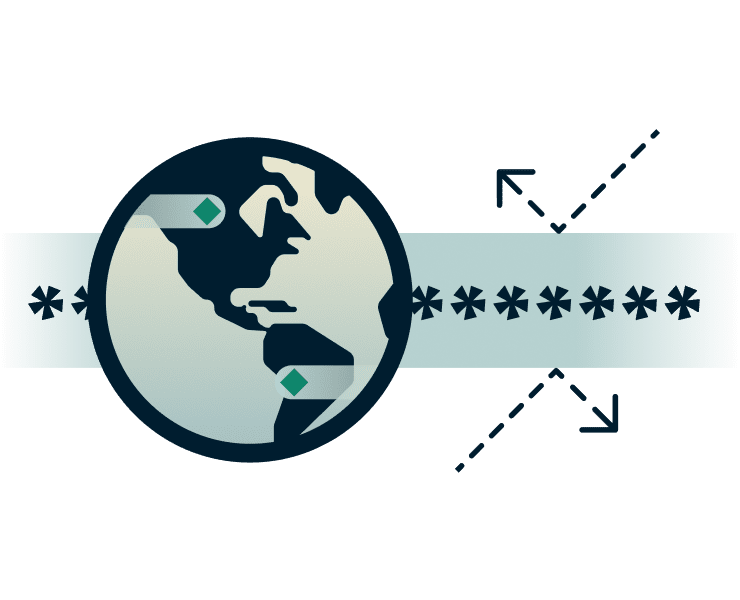
What happens to DNS lookups when you use a VPN
How does DNS work with a VPN? It varies by provider. Best case, your VPN encrypts your DNS queries and routes them through its own private DNS servers. Your ISP and network admins see only encrypted traffic.
Worst case, your VPN uses external DNS providers or fails to encrypt DNS queries. This creates a DNS leak, exposing which sites you visit to your ISP or DNS provider; even while your VPN is connected.

Can you use a custom DNS with a VPN?
Some VPNs let you configure a custom DNS, but the best VPNs use their own private DNS servers by default for stronger privacy and leak protection. This built-in option is usually optimized for speed, security, and reliability.
If you set up a custom DNS, follow the VPN configuration guidelines to maintain protection, and use ExpressVPN's DNS leak test to verify your connection stays secure.
Why use a VPN with a private DNS?
ExpressVPN combines private DNS servers with VPN protection for end-to-end privacy

Enhanced privacy and fewer intermediaries
Without a private DNS VPN, your requests travel through third-party servers, exposing your browsing to ISPs, hackers, and advertisers. Some VPNs use external DNS providers that can log or sell your activity, defeating the purpose of using a VPN.
ExpressVPN's private DNS encrypts and resolves requests internally through zero-knowledge servers, eliminating intermediaries that could log, leak, or monetize your data.

Reduced DNS query exposure
A private DNS encrypts every domain lookup, blocking snooping and surveillance at the source. With ExpressVPN's DNS, every request is securely handled within our encrypted infrastructure, keeping your browsing private from end to end.
This layered protection helps to eliminate weak points that could expose your data or activity. Which makes it much harder for outsiders, even on monitored networks like in corporate environments, to analyze your online activity.

Protection against DNS tampering and blocking
Some networks may hijack or spoof DNS requests, redirecting you to fake or unsafe pages. Imagine logging in to your banking app or your emails, only to end up on a suspicious site or see a strange error.
By handling all DNS requests on ExpressVPN's secure servers, you'll reach the legitimate site you intended with added encryption. That means less frustration, fewer security risks, and greater confidence that your connection remains private and protected.

Speed and reliability benefits
ExpressVPN's private DNS lookups aren't just secure, they're fast. DNS queries are handled on our optimized servers across 105 countries, reducing delays from third-party routing and avoiding the potential congestion that comes with public DNS servers.
Combined with built-in redundancy and our low-latency Lightway protocol, you get fewer hiccups, faster page loads, and reliable streaming.
How ExpressVPN's private DNS works
An in-house, private DNS routes every DNS lookup through encrypted servers
-
![Automatic protection on all devices One subscription protects all your devices, with up to 14 simultaneous connections. From phones to laptops, tab...]()
Automatic protection on all devices
One subscription protects all your devices, with up to 14 simultaneous connections. From phones to laptops, tablets, and more, your DNS requests stay secure across every device and network you use.
-
![Encrypted DNS from connection to resolution When you tap Connect on the VPN app, your traffic and DNS requests are bundled together in a secure VPN...]()
Encrypted DNS from connection to resolution
When you tap Connect on the VPN app, your traffic and DNS requests are bundled together in a secure VPN tunnel. ExpressVPN runs its own private, encrypted DNS on every VPN server, so your lookups never go out to third-party resolvers.
-
![Built into your VPN experience ExpressVPN's private DNS works automatically alongside Advanced Protection features like Threat Manager and Ad block...]()
Built into your VPN experience
ExpressVPN's private DNS works automatically alongside Advanced Protection features like Threat Manager and Ad blocker. This creates layered security that blocks trackers, malicious sites, and intrusive ads before they reach you.



Smart DNS vs. VPN DNS: What's the difference?
A VPN's DNS lookup process goes beyond content access, it encrypts traffic and protects your privacy
| Smart DNS | DNS VPN | |
|---|---|---|
| What it does | Redirects some DNS requests to access content otherwise unavailable | 256-bit AES encryption, no-logs policy ( independently audited), RAM-only servers that wipe all data on every restart. |
| Encryption | No encryption; DNS requests remain visible to third parties | Fast 10Gbps and 40Gbps servers, unlimited bandwidth, Lightway protocol for stable connections |
| Privacy | No privacy protection, ISPs can see all your DNS queries | Global server network in 105 countries and 170+ locations, including servers in Montenegro |
| Speed | Fast for streaming but no security overhead | Threat Manager, Internet Kill Switch, server obfuscation, DNS leak protection, password manager, parental controls, ad blocker… |
| Use case | Limited to accessing content while traveling | Complete protection for browsing, streaming, banking, and all other online activity |
| Device Compatibility | Limited device support, and often requires manual setup | Supports most popular devices (phones, laptops, tablets, smart TVs, and more) |
DNS VPN supported devices and requirements
ExpressVPN's private DNS is auto-enabled to work on all your devices
-
![All Devices Protected Peach@]()
-
![Stay Connected@2x 14]()
Private DNS activates automatically on connection
The private DNS activates the moment you connect to the VPN server, instantly protecting your online traffic queries.
ExpressVPN automatically routes all DNS requests through our encrypted servers, with no settings to change or configurations to manage on your end. Get consistent privacy across every device with up to 14 simultaneous connections.


Built-in trust: How ExpressVPN secures your DNS requests
Automatic DNS protection is built-into the secure ExpressVPN infrastructure

TrustedServer and RAM-only architecture
Every VPN DNS query is processed on ExpressVPN's TrustedServer technology RAM-only servers, which run entirely in volatile memory and erase all data after each session.
These security measures protect your privacy: DNS requests and historical browsing activity are never stored or accessible.

Independent audits and no activity logs
ExpressVPN keeps no logs of your DNS requests. Your lookups remain private, and all traffic stays fully encrypted within the VPN tunnel—protected against today’s threats and future-proofed with post-quantum protection. Independent audits and transparency reports verify our no-logs policy and security, confirming our commitment to keep your DNS queries and online activity protected.
What people are saying about ExpressVPN
Satisfied customers trust ExpressVPN for privacy, security, and more
I have ExpressVPN on all my devices - phone, laptop, tablet, AppleTV, etc., and absolutely love it.


* A sample of reviews from our most satisfied customers
Got an account with @expressvpn yesterday. Great decision for traveling out of the country!
@D_Geiger

* A sample of reviews from our most satisfied customers
With its consistent performance and reliable security, ExpressVPN is the best VPN out there.

* We sometimes pay expert sites for customer referrals
FAQs
How DNS works with a VPN: All you need to know
What is the difference between DNS and VPN?
The DNS process translates website names into IP addresses while a VPN encrypts all your internet traffic and hides your IP address. The DNS process alone doesn't protect your privacy, while a VPN offers full data encryption and IP masking for secure, private browsing.
How does DNS behave when using a VPN?
When using a VPN, DNS requests are routed through the VPN tunnel to the VPN's own DNS servers, as reputable providers do to prevent leaks, rather than your ISP's. This encrypts your queries and prevents your ISP from tracking which websites you visit, keeping your browsing activity private.
Can I use custom DNS with ExpressVPN?
When connected to ExpressVPN, all DNS queries automatically use ExpressVPN's private DNS servers for maximum security. This prevents DNS leaks and third-party exposure. You can configure custom DNS settings on your device, but they only apply when you're disconnected from ExpressVPN.
What is 1.1.1.1, and how does it compare to VPN DNS?
1.1.1.1 is Cloudflare's public DNS server address. While fast, it exposes your DNS queries to Cloudflare, creating a third-party privacy risk. A VPN's DNS encrypts queries inside the VPN tunnel with no external exposure. ExpressVPN's private DNS eliminates the need to trust multiple providers with your data.
Is 208.67.222.222 safe to use as a DNS server?
208.67.222.222 is OpenDNS's server address—safe from security threats but not private. Using it exposes your DNS queries to Cisco, who can log your activity. ExpressVPN's private DNS encrypts queries within our tunnel with zero third-party access and an independently audited no-logs policy ensuring complete privacy.
What is the fastest DNS server for VPN users?
The fastest DNS server for VPN users is usually the VPN's own private DNS. ExpressVPN uses a private, zero-knowledge DNS on every server, ensuring fast lookups, minimal latency, and complete privacy—no third parties, no logs, no leaks—so your connection stays both fast and secure.
Does ExpressVPN log or route my DNS traffic externally?
No. ExpressVPN does not log DNS requests and handles all DNS queries internally through its private servers, ensuring no external routing or logging of your DNS traffic.
How does ExpressVPN prevent DNS leaks?
ExpressVPN prevents DNS leaks by routing all DNS queries inside the encrypted VPN tunnel, blocking any DNS requests from leaking. This built-in leak protection safeguards your privacy on every connection.
How can you test for DNS leaks?
Use ExpressVPN's DNS leak test page to check if your DNS queries are securely routed through VPN servers. If you identify a leak, contact our 24/7 live support staff for assistance.
What are a VPN's custom DNS settings?
VPN custom DNS settings let you choose which DNS servers your VPN uses instead of the default ones. With ExpressVPN, you don't need to change anything. Every server already uses private, zero-knowledge DNS for maximum speed, privacy, and leak protection, so your connection stays fast, secure, and fully encrypted by default.
Try ExpressVPN with a private DNS risk-free
See how private VPN DNS changes your browsing privacy
- Experience enhanced online privacy with ExpressVPN's private DNS, risk-free.
- New customers can try it for 30 days with our money-back guarantee and see how easy it is to secure your browsing and stay protected from DNS leaks. Need help?
- Our 24/7 live chat team is always ready to assist for support, setup, or refunds.