Why use a VPN for HTTPS sites?


Nearly all websites now use HTTPS, so it’s fair to ask what a VPN adds. HTTPS encrypts the connection between your browser and a site, which means your internet service provider (ISP) and others on the network can’t see the pages you open or what you type into them. They can usually still see which sites you visit, though, and each site can see your IP address.
ExpressVPN closes those gaps by encrypting your device’s traffic, including the requests your device makes to look up a site’s address. Your ISP sees a connection to the VPN server instead of the sites you visit, and sites see the server’s IP address instead of yours.
HTTPS and ExpressVPN protect different parts of the connection, so one doesn’t replace the other.
What are the benefits of using a VPN on HTTPS websites?
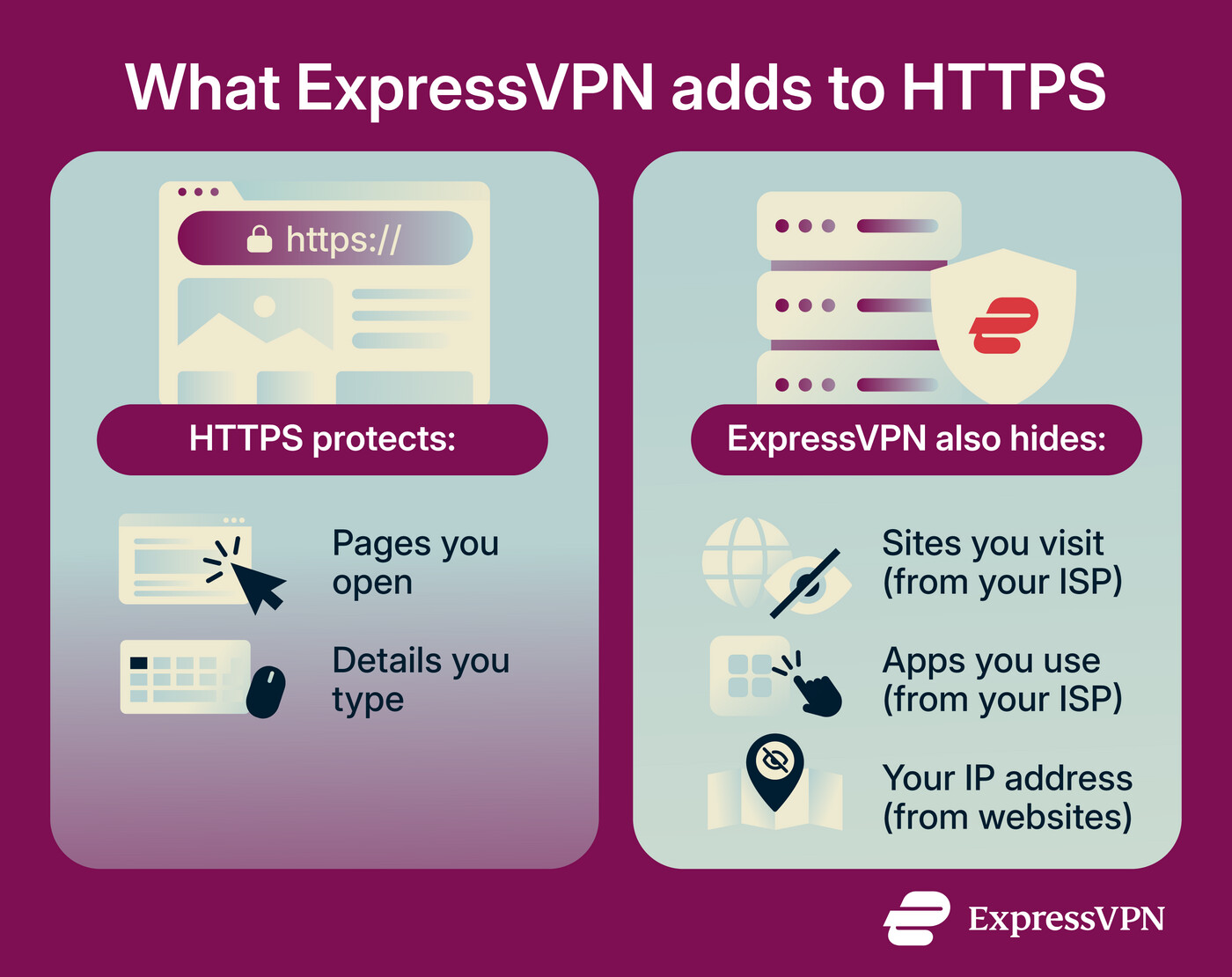
HTTPS leaves three things exposed that ExpressVPN covers. Your ISP and the operator of the network you’re on, such as a café’s Wi-Fi, can potentially see which sites you visit and which apps you use, and every site you visit can see your IP address.
A VPN hides which sites you visit from your ISP
Visiting a site starts with a Domain Name System (DNS) lookup, which turns a name like expressvpn.com into the IP address your device connects to. By default, your device sends that lookup unencrypted, usually to a DNS server run by your ISP. HTTPS doesn't change this, because the lookup happens before the encrypted connection starts.
Some browsers now encrypt DNS lookups. Encryption protects a lookup on its way to the DNS provider, so others on the network can’t read it, but the provider still sees it when it arrives.
Encrypted DNS also leaves two other clues. When your browser opens an HTTPS connection, it names the site in a field called Server Name Indication (SNI), so the server knows which security certificate to send back. On most sites, that field is still unencrypted. A newer standard, Encrypted Client Hello (ECH), hides it, but only when both the browser and the site support it. The destination IP address is visible on every connection too, and it can be enough to identify which site or service a device is connecting to.
This information has value to ISPs. A 2021 staff report from the Federal Trade Commission (FTC) found that several major U.S. ISPs used web browsing data to target ads and grouped customers by sensitive traits such as race and sexual orientation.
With ExpressVPN connected, your lookups, site names, and destination addresses all travel inside the encrypted tunnel, so your ISP sees traffic going to a VPN server instead. ExpressVPN also replaces your DNS provider. It runs its own private, encrypted DNS on every VPN server so your device's lookups are answered by ExpressVPN instead of your ISP or a third-party provider, and ExpressVPN doesn’t log them. This starts automatically when you connect.
There are two exceptions. If your browser or device is set to use a specific encrypted DNS provider, such as Cloudflare, your lookups still travel through the tunnel, but that provider answers them instead of ExpressVPN. Browsers left on their default setting use ExpressVPN’s DNS while you’re connected. To keep all lookups with ExpressVPN, you can turn off DNS over HTTPS (DoH) in your browser.
Also, if a static DNS address is set in your operating system, it could potentially leak or override ExpressVPN’s DNS, depending on the VPN protocol’s routing rules and your operating system’s network priority settings.

Tip: After connecting to a VPN server, you can run a DNS leak test to check that your lookups go through ExpressVPN.
Here’s a summary of what your ISP can see:
| HTTPS only | HTTPS with ExpressVPN | |
|---|---|---|
| DNS lookup | Usually visible | Hidden |
| Site name in the connection (SNI) | Usually visible | Hidden |
| Destination IP address | Visible | Hidden |
| Page content | Hidden | Hidden |
| Amount of data and timing | Visible for each connection | Visible for the tunnel as a whole |
The tunnel itself is still visible. Your ISP can often tell that you’re using a VPN and which ExpressVPN server you’re connected to, and it can see how much data passes through the tunnel and when.
A VPN hides which apps you use from your ISP
Apps don’t show a web address the way a browser does, but they still connect to their own servers, and those destinations can reveal which app is in use, even when its traffic is encrypted. That means your ISP or the network operator may be able to tell when your phone uses a banking or dating app. The same FTC report mentioned earlier found that some ISPs combined app usage data with browsing and personal data to target ads.
With ExpressVPN connected, all of your device’s traffic goes through the VPN by default, including traffic from apps. Those connections look like the rest of your traffic: encrypted data on its way to an ExpressVPN server.
A VPN hides your IP address from the sites you visit
HTTPS doesn't hide your IP address from the sites you visit. Each site sees it, and so do the ad, analytics, and other third-party services the page loads. Your IP address points to your ISP and your general location.
With ExpressVPN connected, sites and the services they load see our server's IP address instead, and any location they work out from it is the server's. That IP address is also shared by other users connected to the same server, which makes it harder to link activity to one person.
The ExpressVPN browser extension adds two IP-address and location-related protections inside the browser. It blocks Web Real-Time Communication (WebRTC), a browser feature for calls and file sharing that can expose your IP address. It can also spoof the location your browser reports when a site requests it through HTML5 geolocation. The extension is available for Chrome, Firefox, Edge, Brave, and Vivaldi.
A different IP address isn’t the only way a site can recognize you, though. Cookies, accounts you log into, and browser fingerprinting work the same way with or without a VPN.
Want more privacy than HTTPS alone provides?
HTTPS protects the information you exchange with websites. ExpressVPN goes further by hiding the sites and services you access from your ISP and masking your public IP address, giving you more privacy as you browse.
Add another layer of privacy with ExpressVPN
Try ExpressVPN with a 30-day money-back guarantee for new users.
FAQ
Can ExpressVPN see my HTTPS traffic?
Is HTTPS enough on public Wi-Fi?
Does ExpressVPN offer strong encryption for secure browsing?
Does ExpressVPN protect traffic that doesn’t use HTTPS?
Does ExpressVPN protect against SSL stripping and MITM attacks?
What does a VPN do when I visit HTTP sites?
The encryption ends at the VPN server, though. ExpressVPN can’t add encryption to a site that doesn’t support it, so your request goes from the server to the site as regular HTTP, and the page comes back the same way. Anyone on the networks between the server and the site could read or change it, including anything typed into the page. This is why passwords and payment details are only safe to enter on HTTPS pages, with or without ExpressVPN.